Basic terminology
Header
Level: Beginner
Keywords: terminology, SAMO LIDS difference
The result: overview of basic terminology used in LIDS and SAMO
Basic terminology in implementation process
- Local environment - When you start a cloned copy of the project on your PC. This environment is used to implement and test new functionality. Usually you have LIDS and Gateway running here and connect to database, Elastic Search, and User Service running on the server environment.
- Server environment - Copy of the project, which is running on a remote server. Usually there are more types of these environments with different purpose - developement, test, production...
- Software components - Software parts of SAMO applications, e.g. LIDS, Gateway, Dynamic-App... More informations can be found on SAMO Portal.
Basic terminology in SAMO
- Gateway metadata - All metadata located under the
gatewayfolder. - Dynamic-App metadata - All metadata located under the
..gateway\applications\applicationName\metadata\dynamic-clientfolder. - Application - Modeled application.
- Application part - Modeled functional area of the application.
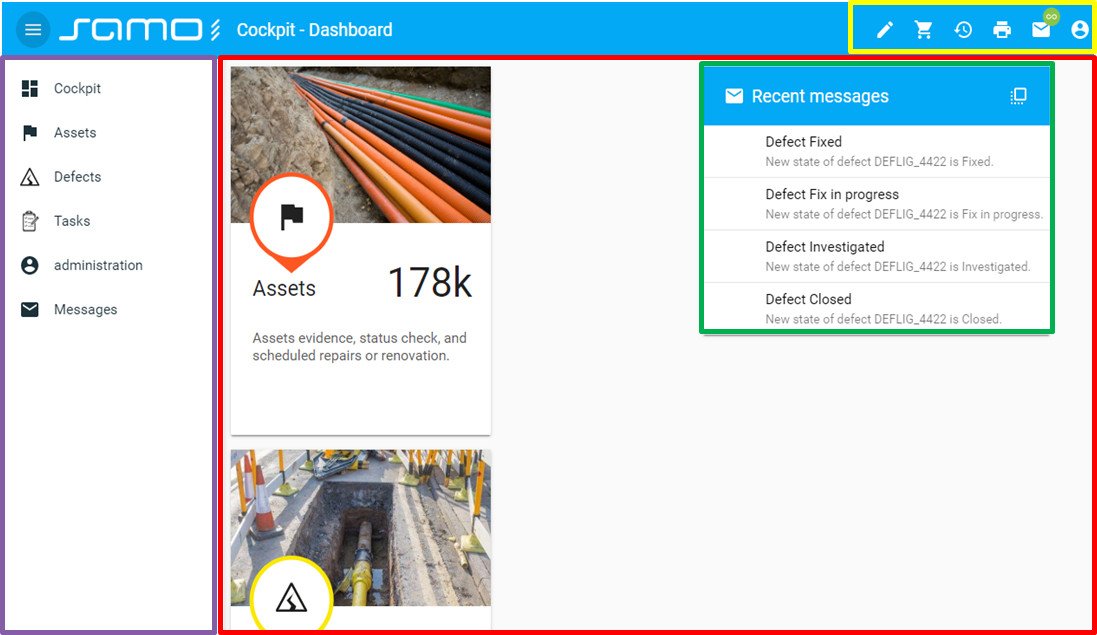
- Application Menu - Encapsulated part of the web application modules. Represents the menu of the functional part or application part.
- Application page - This is a basic building block of the application part. It literally represents pages or views of the functional area. This is compiled using individual web modules which may be recursively nested in each other. It is associated with the respective application entity or set of application entities, if this is required by the configuration of the web modules which it uses.
- AppModules - A feature expressing certain navigation or other business function available for chosen application part.
- Web modules - Configurable building blocks of the application. Used primarily for compiling pages, details, forms and other views of the application in any of the application parts. These modules are shared across the whole application. In a specific application part, use is made of these web modules. Web modules can be used in application parts, they may be used recursively within the framework of their parts and last but not least within the framework of application entities or their parts.
- Web components - Non-configurable building blocks of web modules.
- Configuration scheme - prescription of all possible configuration options among with data types and syntax for given web module. Available in the Dynamic-App Module Catalog.
- Configuration parameter - One item from the configuration scheme.
- Template string - Template strings are used to compose and format strings using values of variables, such as feature attributes or action outputs.
- Translate string - Translate strings are used to make the translation of SAMO application into other languages easier.
- Entity metadata - All metadata located under the
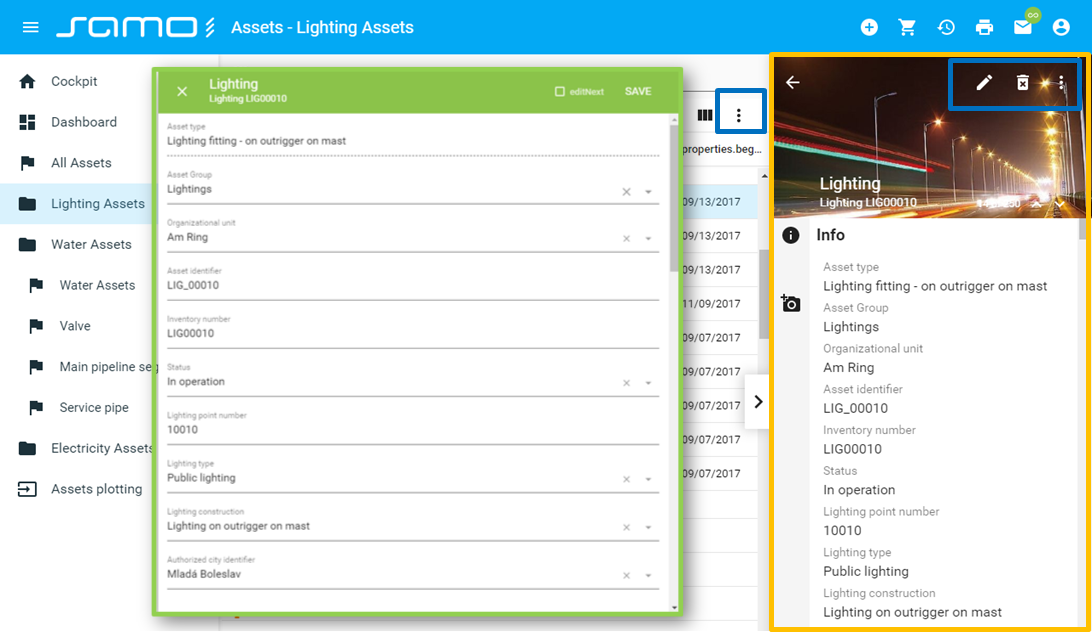
..dynamic-app\applicationName\configuration\metadata\entitiesfolder. - Application Entity - The application entity carries data and is thus in this manner associated with a certain feature type or relationship of feature types of the LIDS data model. It also carries information about its possible displayable details in the application, this being in various contexts of various application parts - Info detail, Edit form, Action forms and other required details.
- Entity Group - Expresses a group of application entities.
- Information Detail - A part of application Entity definition used for displaying read only information about the application entity and information about its related entities, attachments and other.
- Edit Detail / Form - A part of application Entity definition used for displaying and editing information about the application entity.
- Action Detail / Form - Interactive part of the application business task used for user input.
- Intent - A feature expressing certain navigation or other business function linked to specific application entity.
Basic terminology in LIDS
- LIDS metadata - All metadata located under the folder
lids-as. - Business Server metadata - All metadata located under the folder
lids-business-service. - Strong Entity / Feature type - entity which has its own graphic representation. Each feature type lies in only one container. Feature types which are very similar from the business point of view, related in terms of business, must be saved in one common container.
- Weak entity / Feature type - is representing the relation in which it is possible to define not only foreign keys of higher level entities, but also other relation attributes.
- Association relation - a relation containing only foreign keys of bound entities.
- Codelist - always has a fixed mandatory set of attributes (id, code, description, valid). Must contain only simple attributes (must not refer to their codelists).
- Codelist binding - relation between codelists.
- Root Feature (
ft_5000002) - the ancestor of all feature types. - Features' Semantics - descriptive attributes of different data types (string, numeric, date, datetime, codelist references)
- Derived attributes - attributes that are composed using multiple attributes or even relations, cannot be edited by users
- Virtual attributes - attributes that are not stored in the database, consist of values of other attributes, cannot be edited by users
- Forms - "views" on data, ordered and groupped listst of attributes, feature can have multiple forms
- Features' Graphics - consists of geometry and symbology of the feature
- Geometry Types - point, line, polygon, text and collection of multiple components
- Features' Symbology - is not stored in database, it's a prescription of how to visualize given feature (fixed = static symbology, depending on attributes or scale = dynamic symbology)
Differences in terminology LIDS vs. SAMO
There are differences in the well-established terminology used in SAMO compared to LIDS. Following table contains overview of the most frequently used terms.
| LIDS | SAMO | explanation |
|---|---|---|
| FeatureType | Entity | type of objects of the real world (e.g. lamp) |
| Attribute | Property | characteristics of object |
| Form | PropertyGroup | an ordered set of characteristics used to display information about object instance |