New LIDS Feature Type
Level: Intermediate
Keywords: Feature Type metadata, database synchronization, LIDS
The result: implemented ready to use feature type
How to define new Feature Type in LIDS metadata?
The essential objects of LIDS and SAMO are Feature Types. A Feature Type can be characterized as a type of objects of the real world (features). The feature type defines the set of objects' semantic attributes, their geometry, symbology and other properties.
On the other hand a Feature is an instance of a feature type. That means a Feature is a representation of a real world object. Feature holds individual data information - values and geometry of an object.
Full documentation of feature type metadata is available in LIDS Implementation Guide - Feature Types.
In this chapter we will show simple example of defining feature type in LIDS and whole process of integrating new feature type in system.
Prepare model.xml
Feature type metadata are defined in <featureTypeArray> element in lids project metadata file model.xml.
lids-as
│
└───project
    │
    └───lids-as
        │
        └───model
            │
            └───model.xml
In order to create a valid configuration of LIDS feature, we need to define
- DB container for feature type
- FeatureType id attribute - unique identification of FT. This identifier is used whenever the feature type is referenced.
- FeatureType parentId attribute - Defines the parent feature type of the current feature type. The whole feature type hierarchy is built according to this attribute.
- FeatureType attributes - defines set of semantic informations of feature types. Attributes can have different data types
    <ber:containerArray>
        <ber:container id="ct_boEmployee" name="BO Employee" dbName="BO_EMPLOYEE" />
    </ber:containerArray>
    <ber:featureTypeArray>
    <ber:featureType id="ft_boEmployee" name="BO Employee" parentId="ft_5000002" abstract="false">
        <ber:container refId="ct_boEmployee"/>
        <ber:featureAttributeArray>
        <ber:attribute id="at_boEmployee__firstname" name="First Name" dbName="FIRSTNAME" nillable="true">
            <ber:dataType>
            <ber:string maxLength="100"/>
            </ber:dataType>
        </ber:attribute>
        <ber:attribute id="at_boEmployee__surname" name="Surname" dbName="SURNAME" nillable="true">
            <ber:dataType>
            <ber:string maxLength="100"/>
            </ber:dataType>
        </ber:attribute>
        <ber:derivedAttribute id="at_boEmployee__name" name="Name" dbName="NAME" nillable="true">
            <ber:dataType>
            <ber:string maxLength="100"/>
            </ber:dataType>
            <ber:attributeQuery>
            <ber:simpleQuery>
                <ber:attributeArray>
                <ber:attribute xpath="at_boEmployee__firstname"/>
                <ber:attribute xpath="at_boEmployee__surname"/>
                </ber:attributeArray>
                <ber:format>{1} {0}</ber:format>
            </ber:simpleQuery>
            </ber:attributeQuery>
        </ber:derivedAttribute>
        </ber:featureAttributeArray>
    </ber:featureType>
    </ber:featureTypeArray>
Synchronize DB & Security
After we finish defining the feature type in model.xml, we need to synchronize model with the database. To perform this action we need to log in to LIDS Administration Console (http://localhost:11380/as/console/ - link for locally running LIDS).
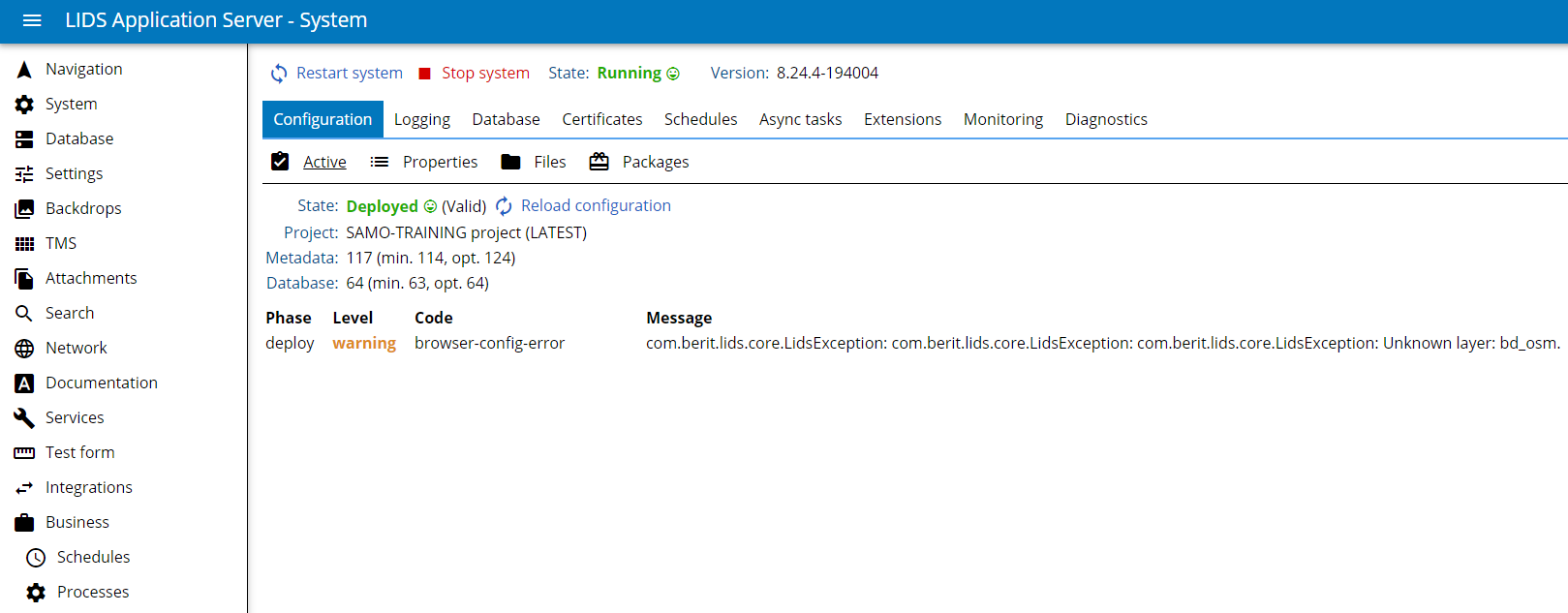
We need to load the model.xml by Reload configuration button to check if model is correct. Then we need to Stop system.
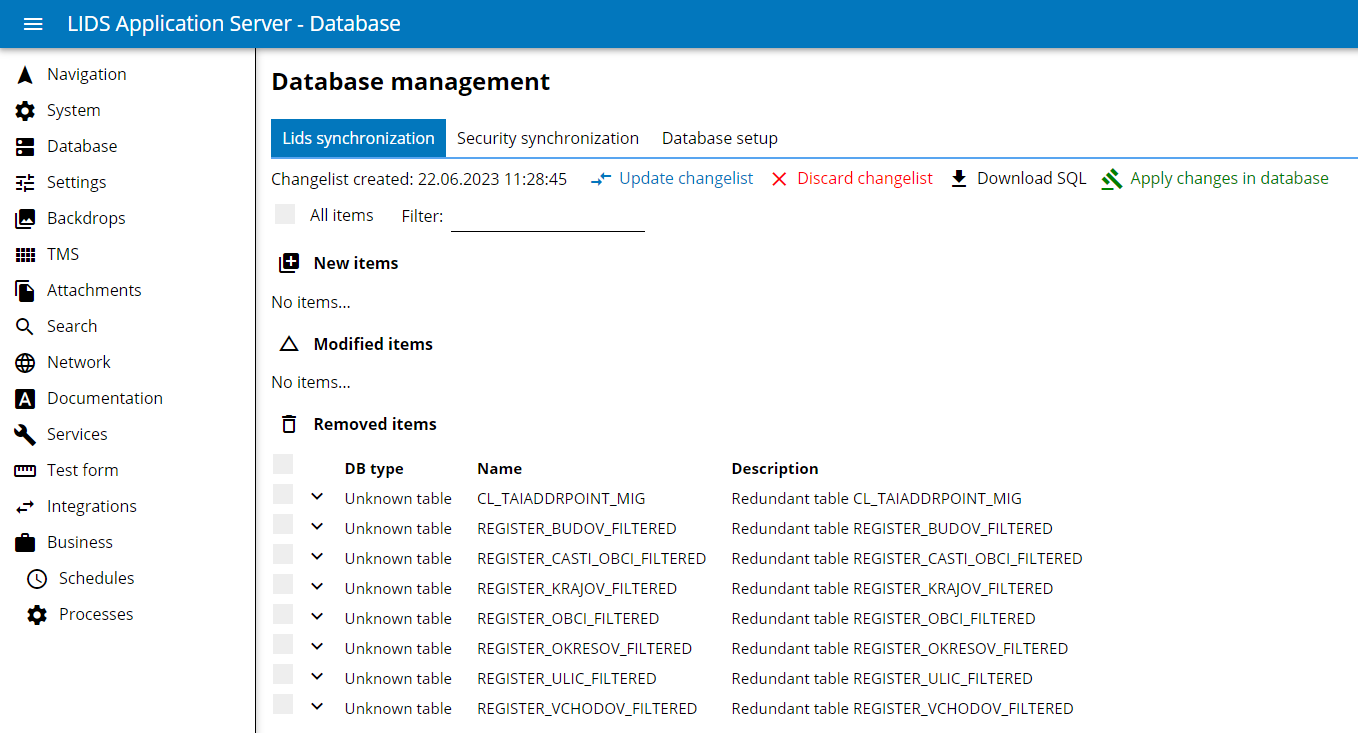
Then we need to navigate to Database -> LIDS synchronization and run Create / Update change list. Synchronization will compare the existing DB schema againts the actual model and prepare database changes. We will check and chose suggested changes and Apply changes in DB.
Then we need to navigate to Database -> Security synchronization and run Synchronize security. And voilà! your Feature Type is ready to use in SAMO. :)
DB synchronization must be done each time, when there is some change in dbName in the model, or when new features are created. Security synchronization must be done each time, when there is some change in attribute or featureType id, or when new features are created. It is always better to run the security synchronization from the server LAS console (not local), after the model changes have been commited.