Dashboard Widgets
Level: Catalog
Keywords: dashboard, navigation, shortcut, widget, graph, chart, diagram
The result: help you to decide, which dashboard widgets to choose
This chapter lists all web modules (widgets) that can be included on the dashboard page. We distinguish several types of these modules based on their function. There is always a configuration example below the chosen illustration of dashboard widget. After clicking on the web module's title a new tab will open with a link to the Dynamic-App Module Catalog, where you can find all configuration possibilities.
Navigation shortcut widgets
Navigation shortcut widgets serve for navigating to different application parts. Navigation is also possible via menu, however these navigation widgets can provide additional information e.g. feature count, some description or proportion of features based on some groupping attribute.
Samo-dashboard-ishortcut
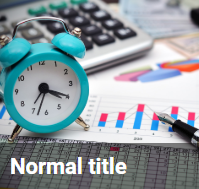
    {
        "type": "component:dashboard-modules/samo-dashboard-ishortcut",
        "title": "Normal title",
        "image": "images/dashboard/operation_activity_short.jpg",
        "titleSize": "normal",
        "part": "assets",
        "page": "lighting-assets"
    }
Samo-entity-count-shortcut

    {
        "type": "component:entity-modules/dashboard/samo-entity-count-shortcut",
        "title": "Normal title, stripe",
        "description": "Small text",
        "titleSize": "normal",
        "icon": "samo-default-icons:info",
        "count": 20,
        "color": "#03A9F4",
        "part": "assets",
        "page": "lighting-assets"
    }
Colored variant with a small title:
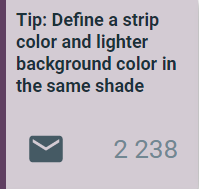
    {
        "type": "component:entity-modules/dashboard/samo-entity-count-shortcut",
        "title": "Tip: Define a strip color and lighter background color in the same shade",
        "titleSize": "small",
        "icon": "samo-default-icons:mail",
        "count": 2238,
        "color": "#5F3F61",
        "backgroundColor": "#5F3F6140",
        "part": "assets",
        "page": "lighting-assets"
    }
Samo-entity-count-shortcut-big
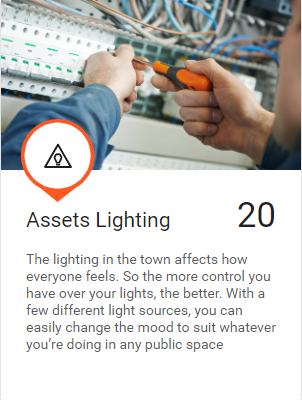
    {
        "type": "component:entity-modules/dashboard/samo-entity-count-shortcut-big",
        "title": "{tr:assets.assets} {tr:assets.assetLigLighting}",
        "description": "The lighting in the town affects how everyone feels. So the more control you have over your lights, the better. With a few different light sources, you can easily change the mood to suit whatever you’re doing in any public space",
        "icon": "ais-icons:defects",
        "image": "images/dashboard/construction_v2.jpg",
        "smallMode": true,
        "part": "assets",
        "page": "lighting-assets",
        "entitiesGroup": "ft_ligPowerCable",
        "color": "#ff5722"
    }
Samo-entity-count-shortcut-colored

    {
        "type": "component:entity-modules/dashboard/samo-entity-count-shortcut-colored",
        "title": "{tr:assets.assetLigLighting}",
        "description": "{tr:assets.assetLightingFeatures}",
        "icon": "ais-icons:asset-registr",
        "part": "assets",
        "page": "lighting-assets",
        "entitiesGroup": "ft_ligPowerCable",
        "color": "#4caf50",
        "textColor": "#fff",
        "separator": "."
    }
Samo-entity-count-shortcut-rich
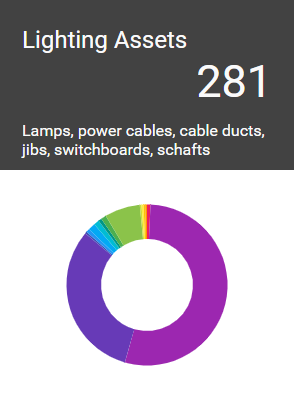
    {
        "type": "component:entity-modules/dashboard/samo-entity-count-shortcut-rich",
        "title": "{tr:assets.assetsLighting}",
        "description": "Lamps, power cables, cable ducts, jibs, switchboards, schafts",
        "entitiesGroup": "lighting-assets",
        "query": {
            "type": "matchAll"
        },
        "part": "assets",
        "page": "lighting-assets",
        "arguments": {
            "search": "type:{get:#entity}"
        },
        "color": "#424242",
        "separator": ".",
        "width": "300"
    }
Samo-entity-aggregated-shortcut

    {
        "type": "component:entity-modules/dashboard/samo-entity-aggregated-shortcut",
        "title": "Main pipe segments",
        "description": "Total length of pipes",
        "entitiesGroup": "ft_5012100",
        "part": "asset",
        "page": "water-assets",
        "aggregation": {
            "type": "sum",
            "field": "at_5012002"
        },
        "color": "#2b7db0",
        "unit": "meter"
    }
Samo-asseco-news-module

    {
        "type": "component:dashboard-modules/samo-asseco-news-module",
        "title": "Asseco news",
        "image": "images/an1.jpg",
        "url": "http://www.samo-asseco.com/"
    }
Samo-entities-count-list
Samo-task-count-shortcut
Charts
Except the pie chart integrated in samo-entity-count-shortcut-rich, there is a possibility to use widgets showing bar charts. These widgets can also have a navigation function. Clicking on chosen bar navigates user to filtered samo-browse.
Samo-entity-count-widget
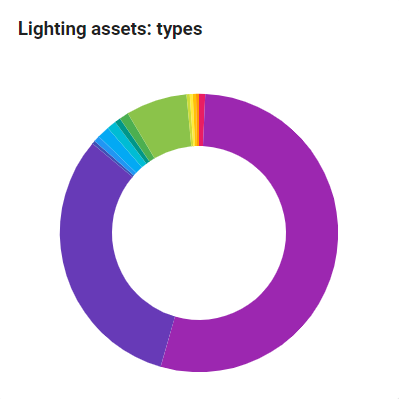
    {
        "type": "component:entity-modules/dashboard/samo-entity-count-widget",
        "title": "Lighting assets: types",
        "entitiesGroup": "lighting-assets",
        "query": {
            "type": "matchAll"
        },
        "part": "assets",
        "page": "lighting-assets",
        "arguments": {
            "search": "type:{get:#entity}"
        },
        "width": 400
    }
Samo-entity-count-bar-widget
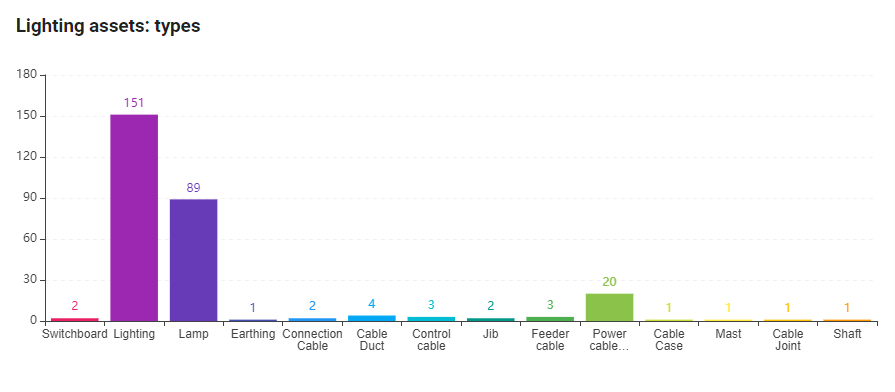
    {
        "type": "component:entity-modules/dashboard/samo-entity-count-bar-widget",
        "title": "Lighting assets: types",
        "entitiesGroup": "lighting-assets",
        "query": {
            "type": "matchAll"
        },
        "part": "assets",
        "page": "lighting-assets",
        "arguments": {
            "search": "type:{get:#entity}"
        },
        "colors": [
            "#e91e63",
            "#9c27b0",
            "#673ab7",
            "#3f51b5",
            "#2196f3",
            "#03a9f4",
            "#00bcd4",
            "#009688",
            "#4caf50",
            "#8bc34a",
            "#cddc39",
            "#ffeb3b",
            "#ffc107",
            "#ff9800",
            "#ff5722",
            "#795548"
        ],
        "width": 900
    }
Samo-entity-aggregated-count-bar-widget
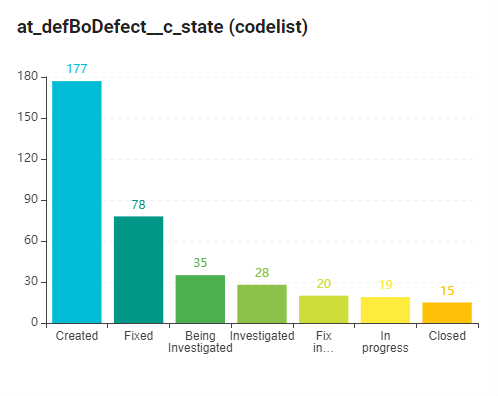
    {
        "type": "component:entity-modules/dashboard/samo-entity-aggregated-count-bar-widget",
        "title": "at_defBoDefect__c_state (codelist)",
        "entities": [
            "ft_defDefectElectro",
            "ft_defDefectLighting",
            "ft_defDefectWater"
        ],
        "query": {
            "type": "matchAll"
        },
        "aggregation": {
            "type": "term",
            "field": "at_defBoDefect__c_state.ca_state__description.keyword",
            "size": 100
        },
        "codelist": "cl_state",
        "idProperty": "ca_state__id",
        "titleProperty": "ca_state__description",
        "part": "defects",
        "page": "defects-all",
        "arguments": {
            "search": "at_defBoDefect__c_state: {get:#entity.key}"
        },
        "width": 500,
        "colors": [
            "#00bcd4",
            "#009688",
            "#4caf50",
            "#8bc34a",
            "#cddc39",
            "#ffeb3b",
            "#ffc107",
            "#ff9800",
            "#ff5722",
            "#795548",
            "#9e9e9e",
            "#607d8b"
        ]
    }
Samo-entity-aggregated-bar-widget
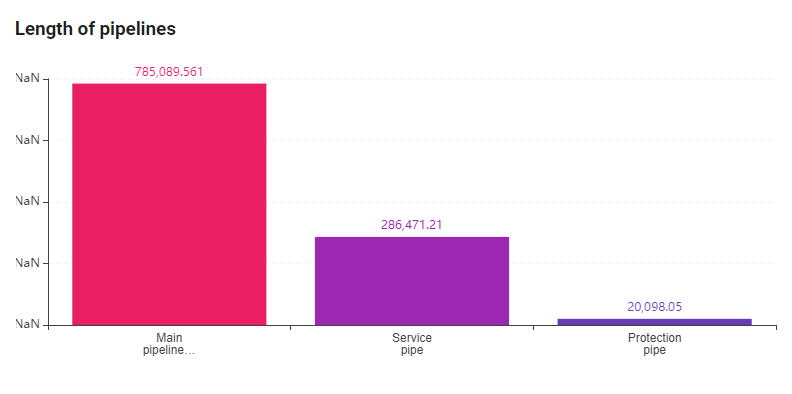
    {
        "type": "component:entity-modules/dashboard/samo-entity-aggregated-bar-widget",
        "title": "Length of pipelines",
        "entities": [
            "ft_5012100",
            "ft_5012200",
            "ft_501230_m"
        ],
        "query": {
            "type": "matchAll"
        },
        "aggregation": {
            "type": "term",
            "field": "type.keyword",
            "size": 10,
            "order": {
                "myAggr2.value": "desc"
            },
            "aggregations": {
                "myAggr2": {
                    "type": "sum",
                    "field": "at_5012002"
                }
            }
        },
        "part": "assets",
        "page": "water-assets",
        "width": 800
    }
Samo-entity-gauge-widget
Samo-entity-grouped-count-bar-widget
Others
Samo-user-messages-widget
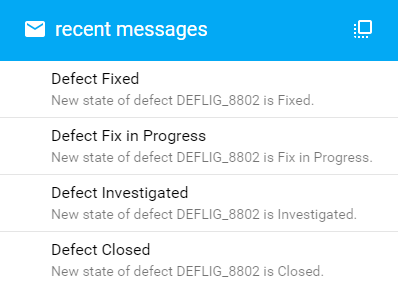
    {
        "type": "component:user-modules/messages/dashboard/samo-user-messages-widget",
        "messagesCount": "4",
        "viewAllPage": "messages"
    }
Samo-dashboard-banner

    {
        "type": "component:dashboard-modules/samo-dashboard-banner",
        "title": "We know our defects",
        "image": "images/dashboard/mark5.jpg"
    }
Common specifics of configuring navigation widgets
State of the target navigation page
Navigation intents always refer to specific state of target page of target application part. Apart from configuring to which application part and application page we want to navigate, we can also configure how will the target page look like. Typically we want to change the amount of shown features by setting browse filter. We can use the arguments parameter for this purpose. For how to configure this parameter, refer to SAMO Browse
Feature count
Almost in every navigation widget, it is possible to show number of features, which will be visible in the browse under given browse set up. We can get this number using either query parameter or entryPoint + path parameter or both. EntryPoint + path parameters get the number of features from the database. Query configuration gets the resulting feature number from elastic-search. Therefor it can be found within sent search requests or by-path requests – in case of using entryPoint + path (see Figure below), after setting up the browse search by filtering options.
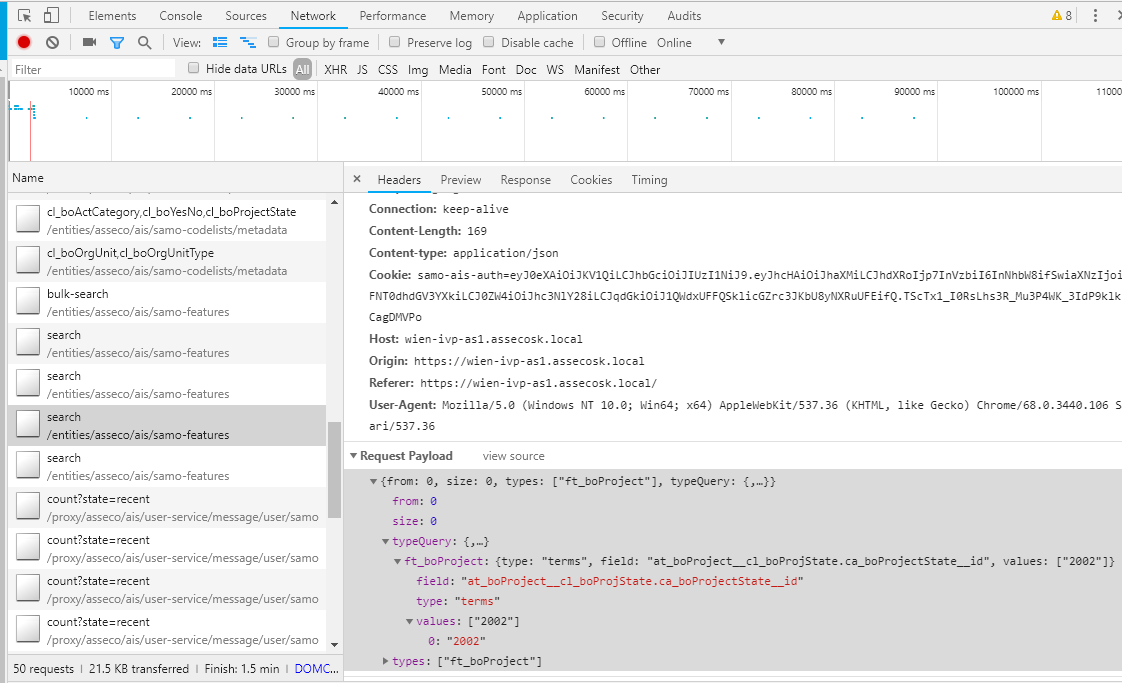
There exists multiple types of query configuration and based on chosen type, another attributes are bound to the resulting configuration. Most commonly used, are type matchAll (matches every feature from given entitiesGroup) and type terms (matches features with allowed values of specific filtering attributes (field)). Other query types are listed below. For more information see Elastic search documentation.
| type | bounded attribute | description |
|---|---|---|
| matchAll | - | matches every feature from given entitiesGroup |
| terms | field (string), value (array) | matches features by allowed values of specific filtering attributes (field) |
| exists | field (string) | matches every feature with filled filtering attribute (field) |
| match | field (string), query (string) | matches features with value of specific filtering attribute (field) by substring (query) |
| matchPhrase | field (string), query (string) | same as match query type, but searches for words which are near each other |
| wildcard | field (string), query (string) | matches features with values of specific filtering attribute (field) by values (query) written with *, which can replace any string |
| prefix | field (string), prefix (string) | matches features with values of specific filtering attribute (field) by prefix (prefix) |
| range | field (string), includeLower (boolean), includeUpper (boolean), from (number), to (number) | matches features with values of specific filtering attribute (field) by range (from, to) |
| ids | ids (array) | matches features with given ids (ids) |
| disMax | queries (array of queries), tieBreaker (double) | used for disjunctive (OR) queries |
| bool | must (array of queries) OR must_not (array of queries) OR should (array of queries) | used for nesting or negating queries |
| geoShape | field (string), shapeType (string), shapeCoordinates (array of numbers), relation (string), srs (string) | used for filtering features by spatial extent (field = search_geometry/search_point, srs: coordinate system in EPSG form, shapeType = envelope, relation = intersect, shapeCoordinates: minimum bounding rectangle of spatial extent) |