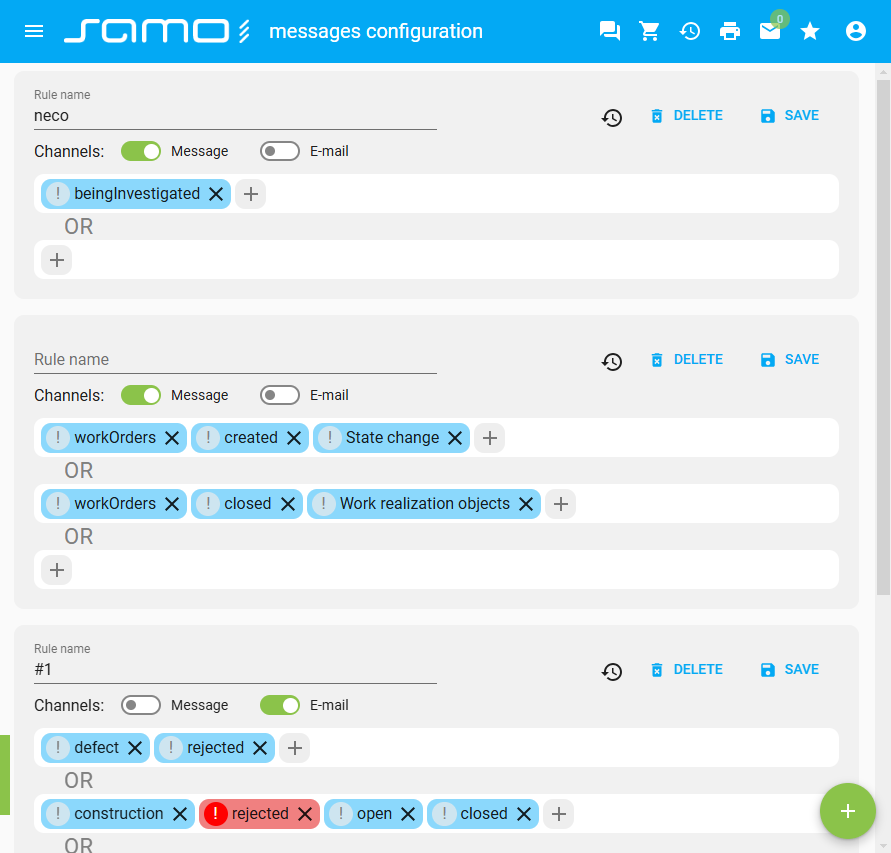
Overview of Messages
Level: Catalog
Keywords: messages
The result: help you to understand how messages in SAMO work
By messages are meant notification information about executed actions and processes in the project. There are more ways how to show messages - as an application module in app toolbar, as a widget on dashboard or as a whole page.
Application module
This application module is of "dialog" type and works together with samo-user-messages-dialog module. The badge in the button in app toolbar shows current count of unread messages.
    {
        "type": "component:user-modules/messages/samo-user-messages-app-module",

        "security": {
            "loggedIn": true
        },

        "detailType": "dialog",
        "detail":
        {
            "type": "component:user-modules/messages/samo-user-messages-dialog",
            "viewAllPage": "messages",

            "title": "{tr:messages.recent_messages}",

            "searchHidden": true,
            "stateDisabled": true
        }
    }
From the dialog it is possible to open a page with messages browse (see below) and also to the configuration page of messages notifying (see below).
Dashboard widget
Messages overview with defined count of last messages can be in dashboard widget. There is also a button for opening whole messages browse (see below).
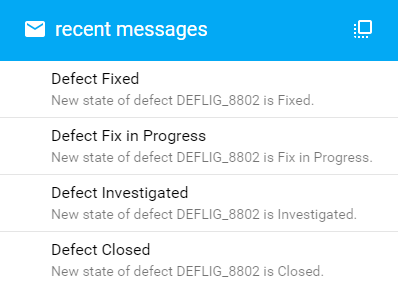
    {
        "type": "component:user-modules/messages/dashboard/samo-user-messages-widget",
        "messagesCount": "4",
        "viewAllPage": "messages"
    }
Messages page
Simple browse of all messages with filtering by state or label. Each message can be opened in detail dialog.
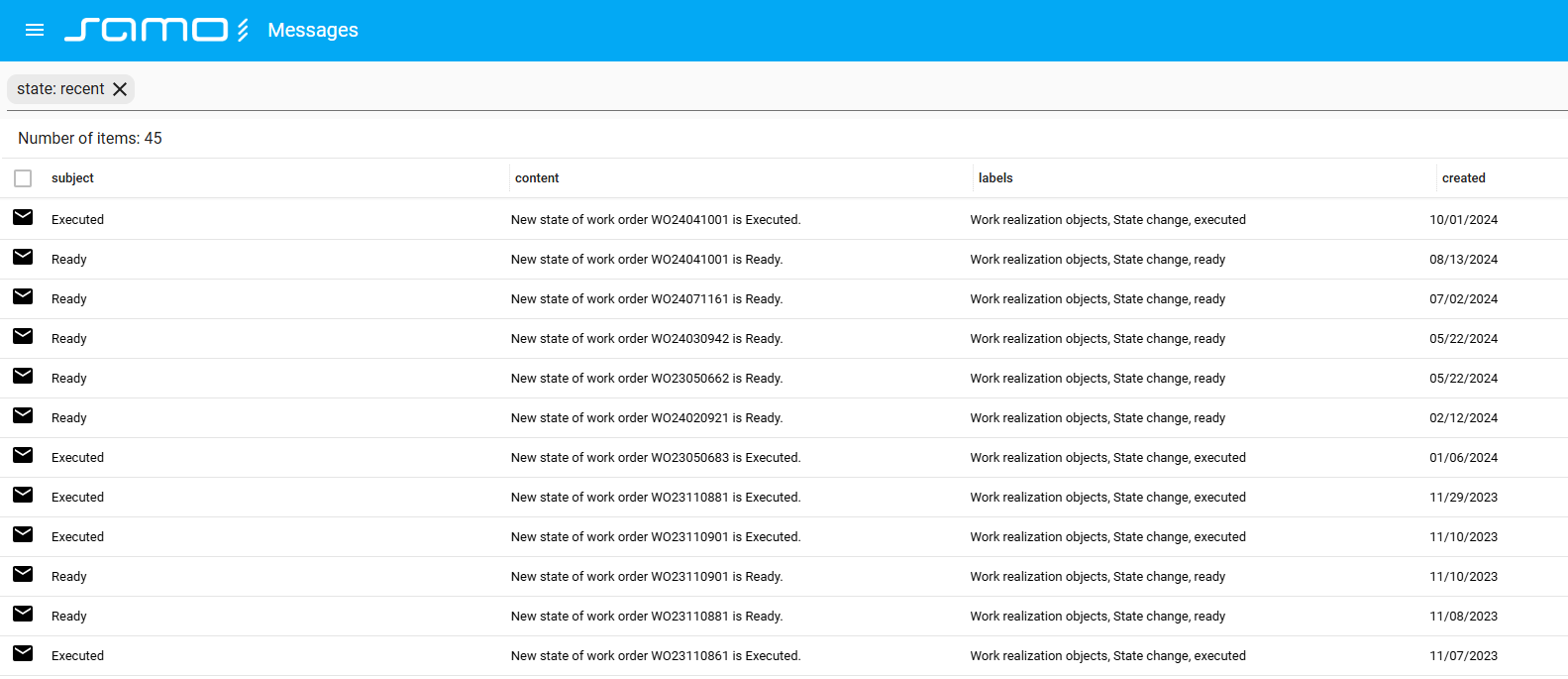
    {
        "type": "component:user-modules/messages/samo-user-messages",
        "defaultSearch": "state: recent"
    }
User configuration of messages
Page module, where user can set notifications which is interested about. There user select which labels must be fullfilled (with AND and OR relation) for creating a notification and select a channel which should be used.