Documents Management System
Level: Advanced
Keywords: documents, file manager, folders, files
The result: File manager, browse of folders and files
A document management system (DMS) is a system used to receive, track, manage and store documents and reduce paper. It is capable of keeping a record of the various versions created and modified by different users (history tracking) and also enables locking the file to prevent other users from editing it.
In SAMO Application we have our own implementation of DMS, see the Figures below.
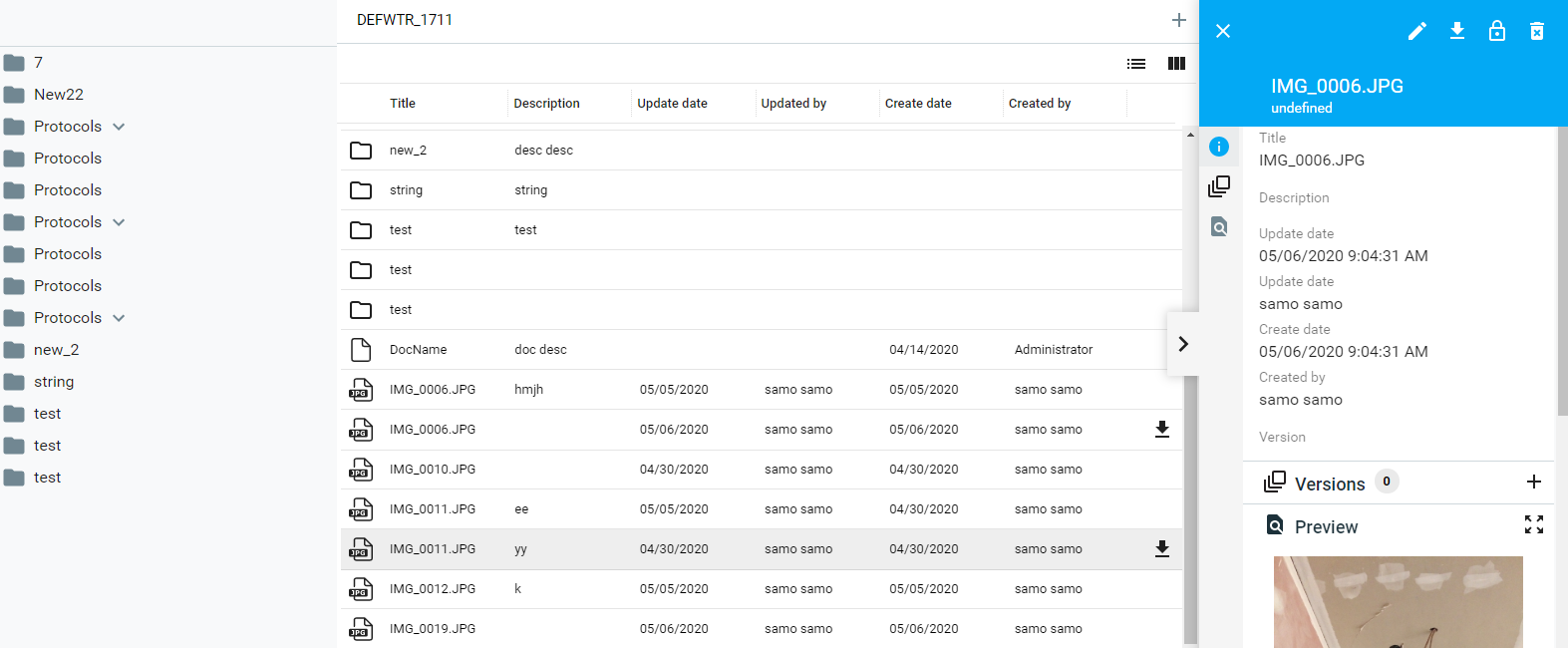
Fig. 1: Browse of documents for all features and instances in the project
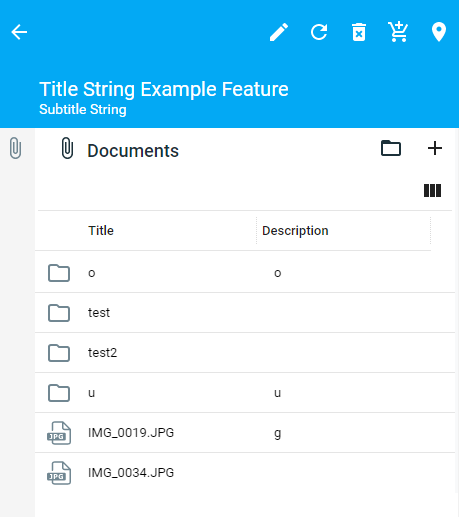
Fig. 2: A detail section with overview of documents related to the specific feature instance
Configuration
Following steps are needed to configure the document management system in SAMO Application.
1. Upgrade to SAMO 7.0.6 or higher
This is the first SAMO version with SAMO Documents support.
There are significant changes in standard SAMO DB structures. SAMO DB must be upgraded to version 57 by standard DB synchronization (LIDS AS Administration Console).
2. Configure metadata extension Document Management
If we want to be able to add documents to specific existing SAMO Entity, we need to allow and define and configure the LIDS Document Management extension.
To define the LIDS collaboration extension, we need to create document-management.xml in \lids-as\extensions folder.
It is quite simple, there are just two collections:
relationAssocArray– references to relations that define folder hierarchies; feature folders are created for all instances (features) of relation feature types; feature folder hierarchy is created for all feature relationsfeatureTypeArray– references to additional feature types that define folders
<?xml version="1.0" encoding="UTF-8" standalone="no"?>
<ber:documentManagement xmlns:ber="http://www.berit.com/ber" xmlns:xlink="http://www.w3.org/1999/xlink" xmlns:xsi="http://www.w3.org/2001/XMLSchema-instance">
<ber:version>
<ber:metadata>1</ber:metadata>
<ber:minClient>8888</ber:minClient>
<ber:minAS>155001</ber:minAS>
</ber:version>
<ber:featureTypeArray>
<ber:featureType xlink:href="model.xml#ft_5050000"/> <!-- Customer -->
</ber:featureTypeArray>
<ber:relationAssocArray>
<ber:relationAssoc xlink:href="model.xml#sr_5060000_5010100">
<ber:description>Service organization unit --> Pumping station</ber:description>
<ber:parentRole xlink:href="model.xml#rt_5060000_s"/>
</ber:relationAssoc>
<ber:featureRefRelationAssoc xlink:href="model.xml#r_station_busbar">
<ber:description>Pumping station --> Busbar</ber:description>
</ber:featureRefRelationAssoc>
<ber:featureRefRelationAssoc xlink:href="model.xml#r_station_fuse">
<ber:description>Pumping station --> Fuse</ber:description>
</ber:featureRefRelationAssoc>
<ber:featureRefRelationAssoc xlink:href="model.xml#r_station_switch">
<ber:description>Pumping station --> Switch</ber:description>
</ber:featureRefRelationAssoc>
<ber:featureRefRelationAssoc xlink:href="model.xml#r_station_outlet">
<ber:description>Pumping station --> Outlet</ber:description>
</ber:featureRefRelationAssoc>
</ber:relationAssocArray>
</ber:documentManagement>
3. Synchronize folders according to extension definitions
Run these services from Swagger test form, URL: ../definitions/RestServices/DocumentRestServices.yaml. (Go from LIDS Administration console -> tab Services -> Rest Services -> Document Rest Services).
-
Synchronize names of existing feature folders according to the feature info value
PUT/document-folders/syncFeatureFolderNames -
Synchronize the creation of feature folders according to document management metadata extension and existing features.
PUT/document-folders/syncFeatureFolderCreation -
Synchronize the feature folder hierarchy according to the document management metadata extension and existing relations.
PUT/document-folders/syncFeatureFolderHierarchy
4. Define appropriate client configuration
DMS is not supported in mobile clients yet.
LIDS Edit / Explorer do not need any additional configuration to work with DMS.
Configuration for SAMO Dynamic App is described in Tutorials.